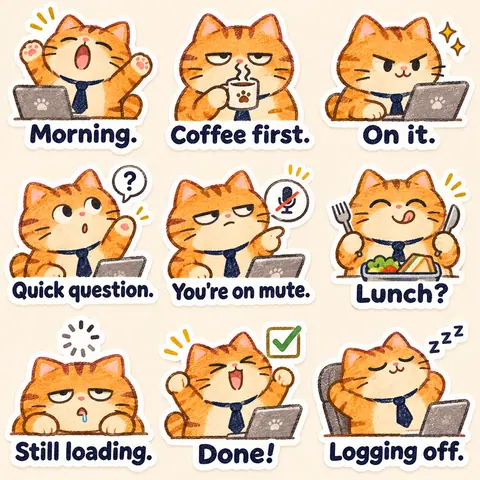
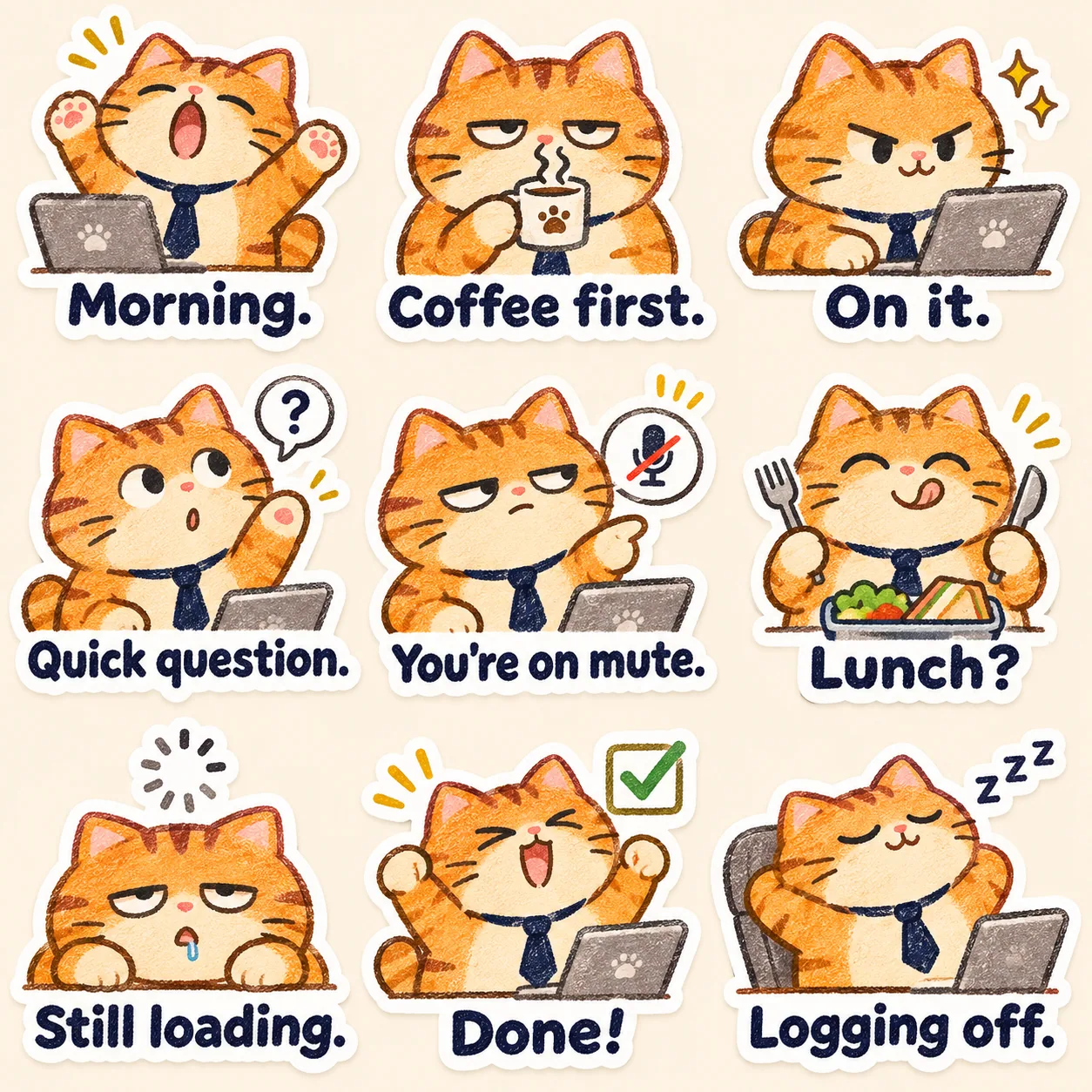
職場貓咪下班了
九種蠟筆貓咪反應,適用於咖啡休息時間、視訊會議與登出下班。
由 GPT Image 2.6 生成生成原文語言 · 英文 · 執行記錄於 2026年11月9日 · 更新於 2026年11月9日無需參考圖 · 本次使用 0 張參考圖
- 輸出 1 · 1254 × 1254 · image/png
無需參考圖,複製提示詞後生成一張圖片。畫面文字保持英文。
提示詞 · 英文
Create a square office-cat sticker sheet in a . Draw an original round orange cat wearing a navy tie, using on warm cream paper.
Keep the face, orange stripes and navy tie identical across cells. Use small office props and mix sleepy, helpful and quietly sarcastic expressions.
Exactly nine stickers, read left to right, top to bottom. Give every sticker a distinct expression and pose that clearly matches its caption. Keep the character identity, proportions, outfit and colors consistent across all nine cells. Use generous equal spacing and a simple pale background. Make each silhouette clear, with a white die-cut border. Render each supplied English caption exactly once, verbatim, in large bold lettering inside its own cell, using no more than two lines. The captions, in reading order, are:
Morning.; Coffee first.; On it.; Quick question.; You're on mute.; Lunch?; Still loading.; Done!; Logging off.
No extra titles, watermarks, overlapping cells or additional text.
1020 個字元
每句話的作用
clean 3-by-3 grid
每格對應一句工作聊天回覆。textured crayon lines
蠟筆質感形成手繪風格。
使用方法
無需參考圖,複製提示詞後生成一張圖片。畫面文字保持英文。
檢查重點
核對主體一致性、構圖與指定配字,並在原尺寸和手機展示尺寸檢查。這是一張靜態圖片,獨立貼紙匯出屬於另一項工作。
測試樣張
0278-A · 展示執行
- 模型
- GPT Image 2.6
- 記錄日期
- 2026年11月9日
- 服務供應商
- OpenAI
- 範本 v1
- 職場貓咪下班了
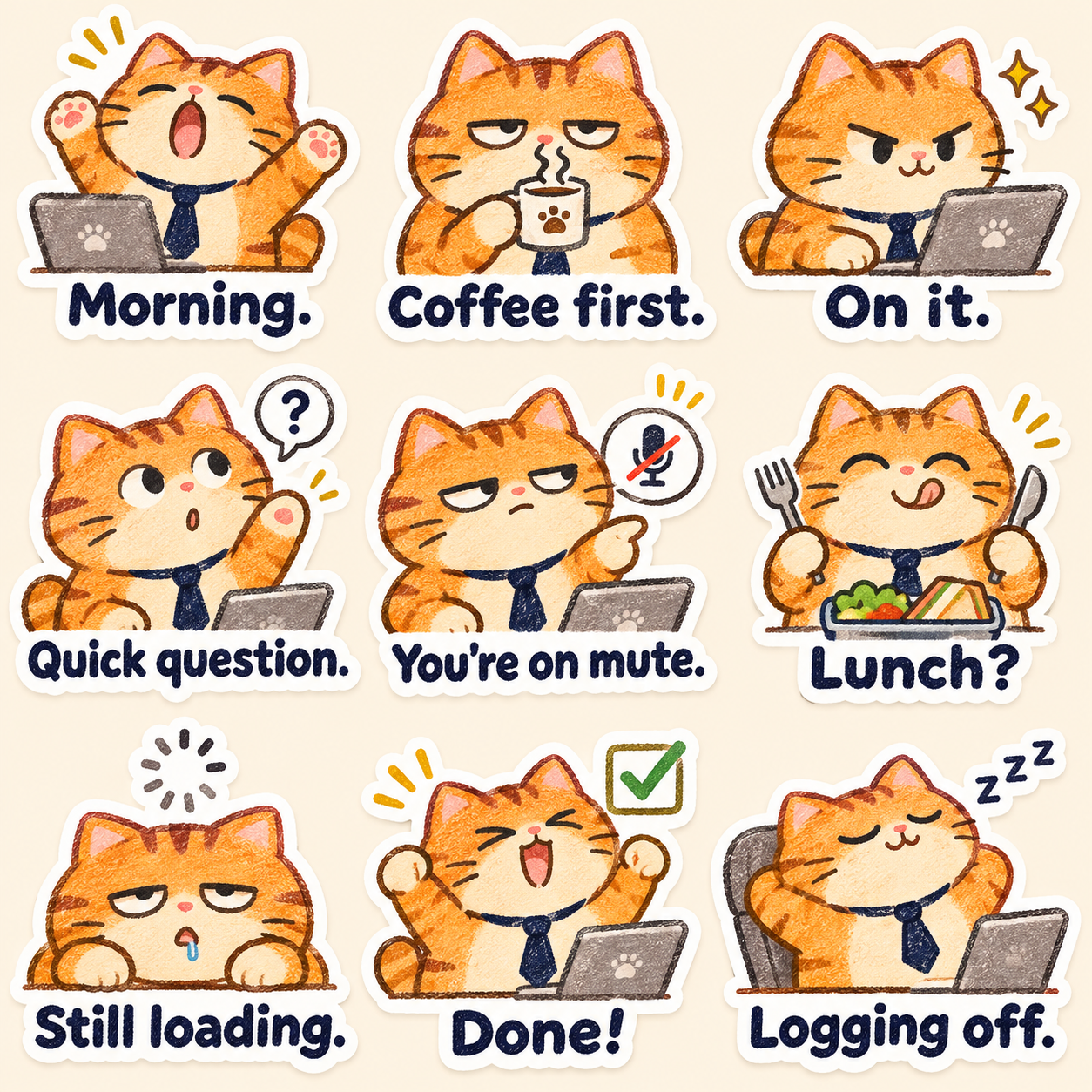
觀察: 修改後輸出恰好有九格蠟筆橙貓;軀幹可見處的深藍領帶一致,辦公道具清楚,反應各有區別。九句字幕均已核對;Logging off. 現在只有一個句點,You are on mute 的縮寫有撇號。沒有額外標籤,蠟筆紋理與粗深藍文字符合要求。
來源與授權
- 提示詞
- 作者:Prompt Seen授權:CC BY 4.0
- 佩戴深藍領帶的職場橘貓蠟筆畫九宮格,配有英文工作聊天短句。
- 創作者:Prompt SeenAI-generated demonstration · Prompt Seen授權:CC BY 4.0AI 生成的圖片